Reclaim disk space, privately.
Find what's filling your Mac's disk — caches, logs, leftovers, and large files — and clear it with confidence. The cleaner runs entirely on your Mac, with an optional AI advisor powered by Apple's Private Cloud Compute.
Download on the Mac App StoreOne-time $14.99 to unlock unlimited cleaning · Free to scan & try · Requires macOS 14 or later
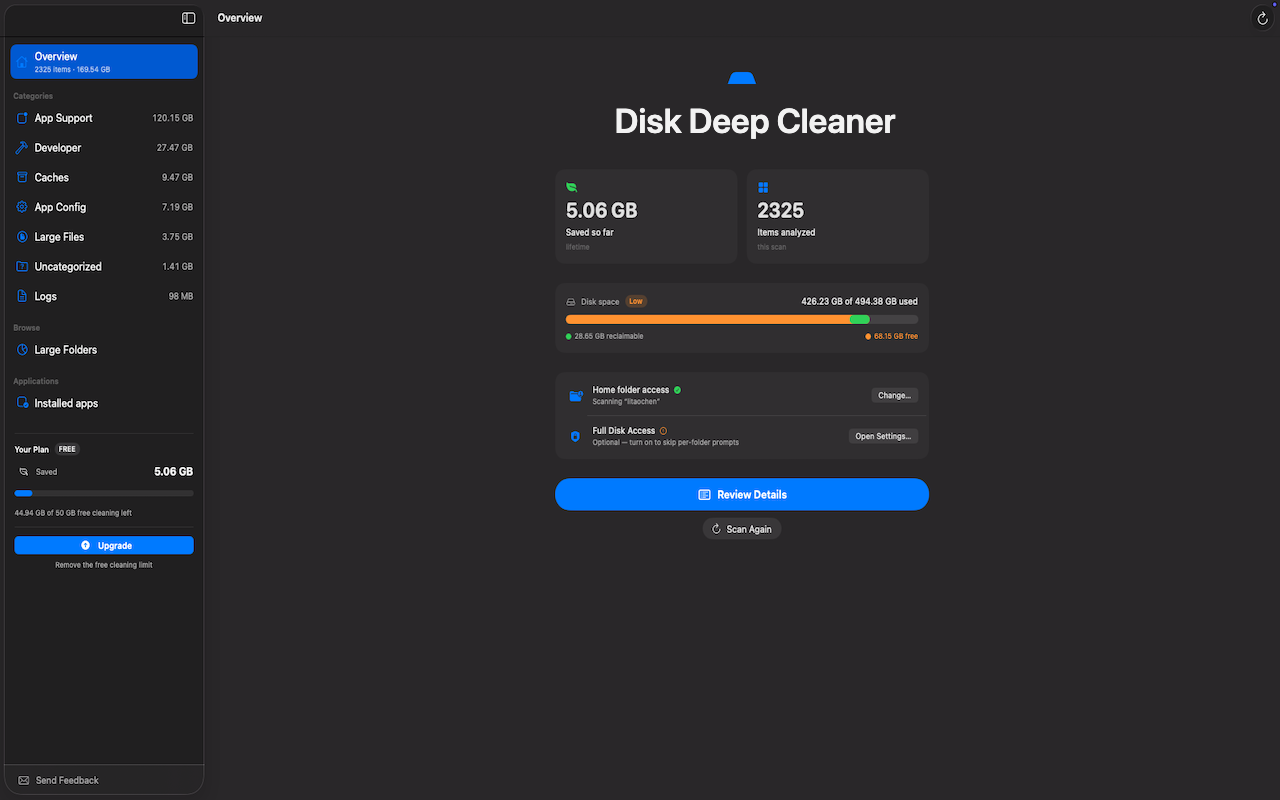
Every screen is built to answer one question: is this safe to remove? Here's how Disk Deep Cleaner helps you decide.
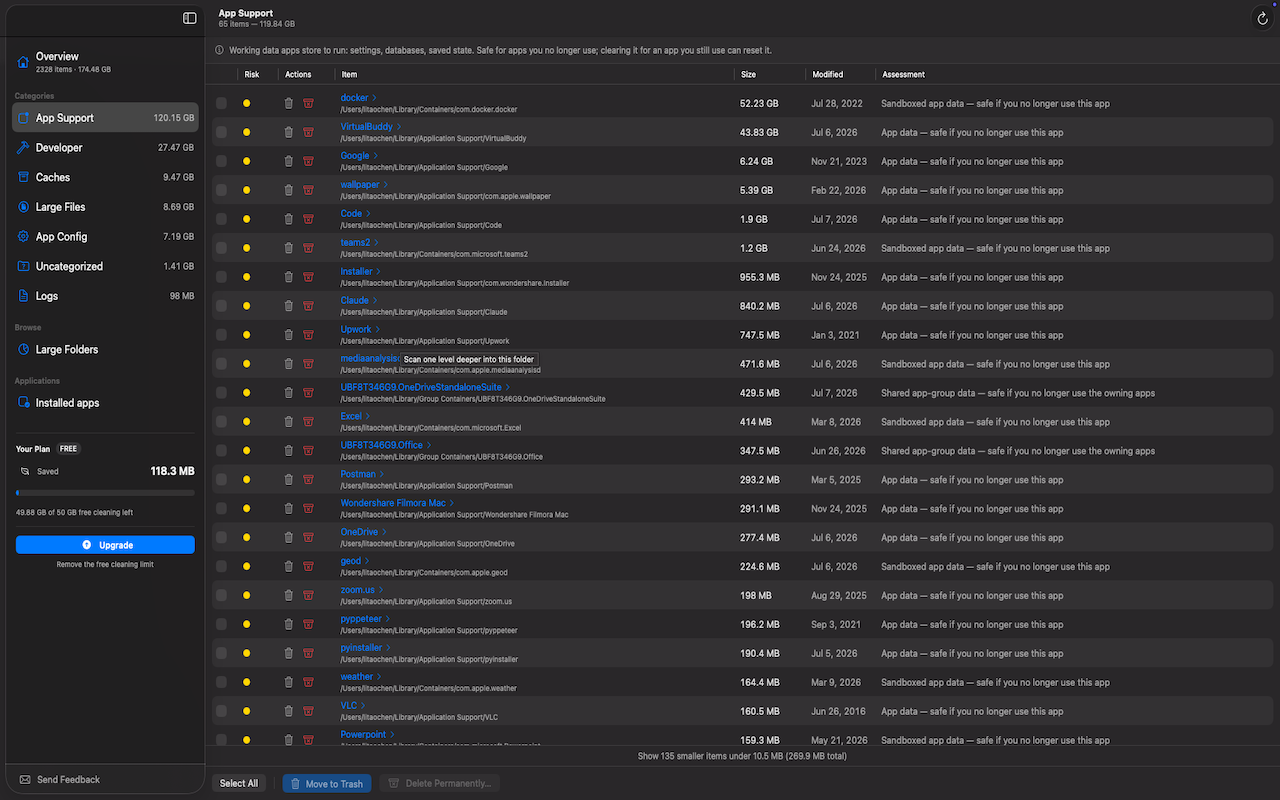
Every item is sized and rated with a plain-English verdict, so you never delete something you'll miss.
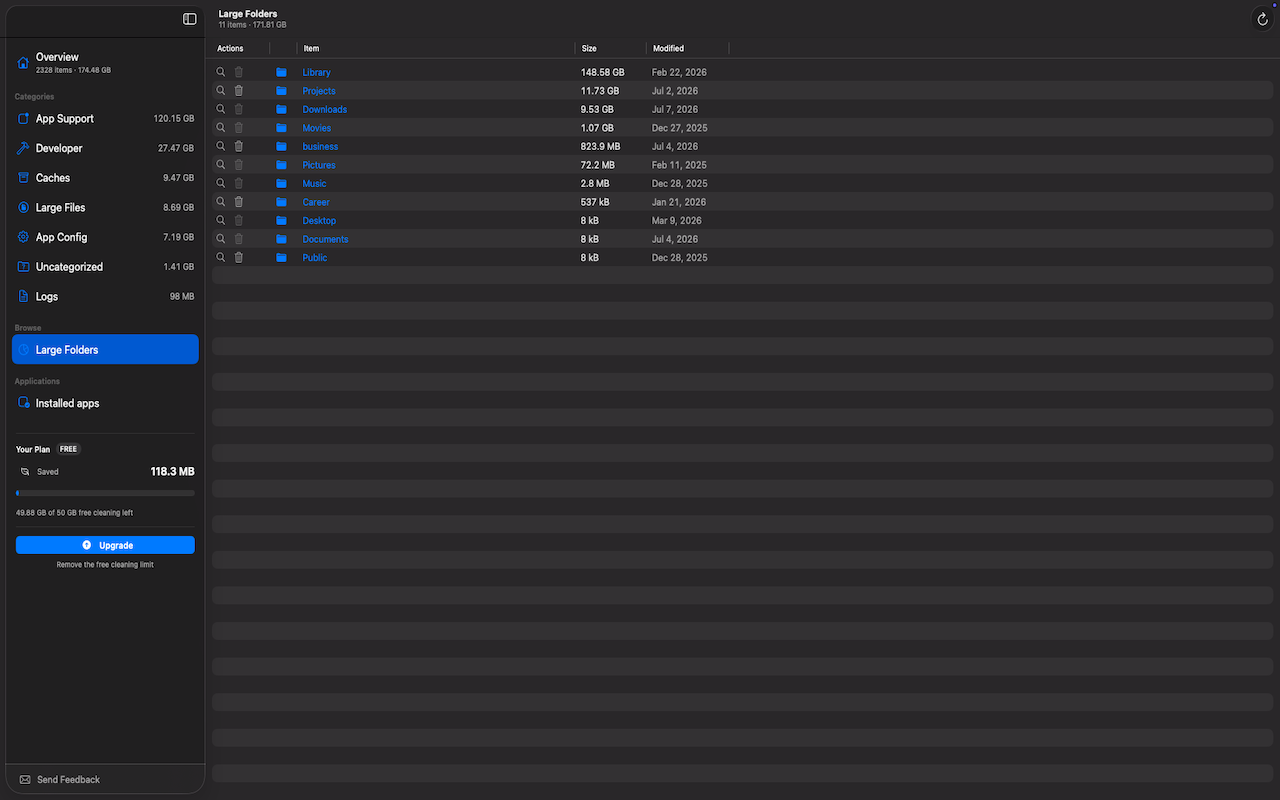
A size-ranked view of your biggest folders lets you rediscover space you forgot about, then drill in to clear exactly what you don't need.
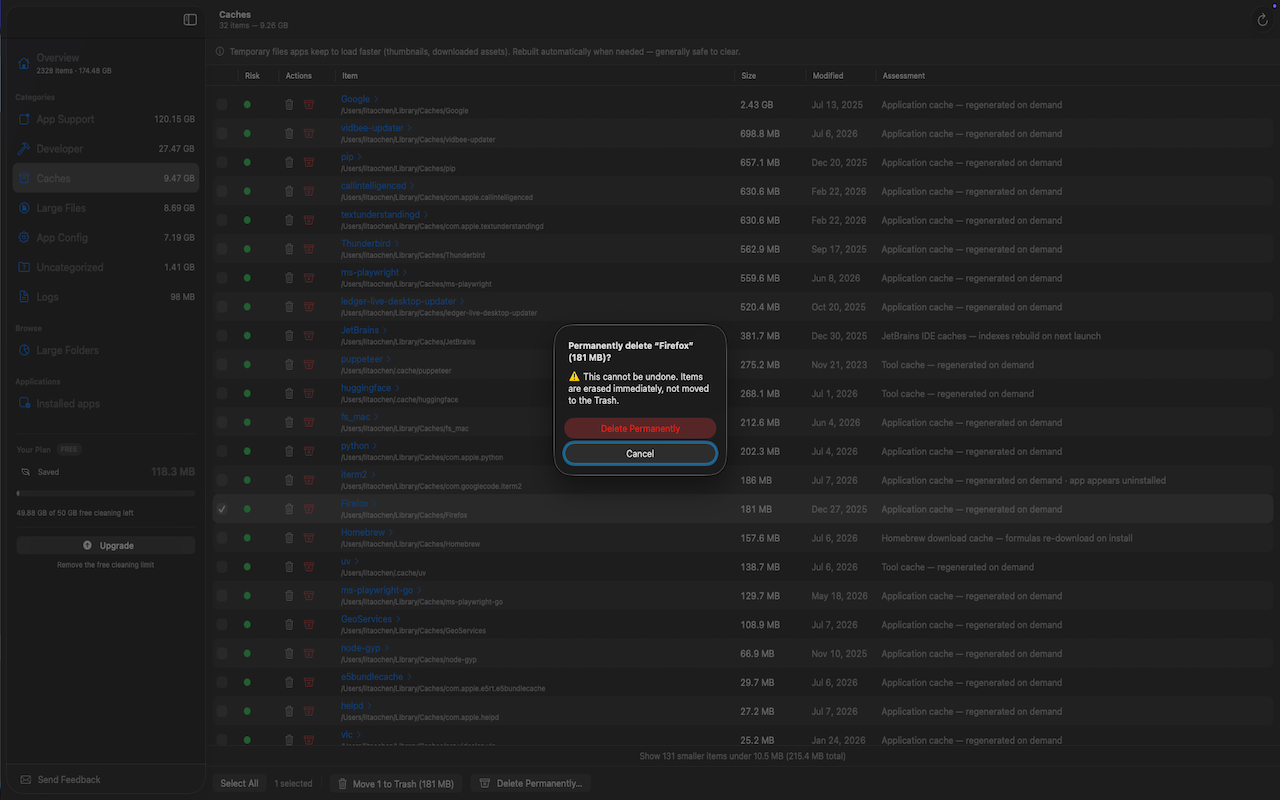
Send junk to the Trash and undo any time — nothing disappears by surprise. Permanent deletes always ask first.
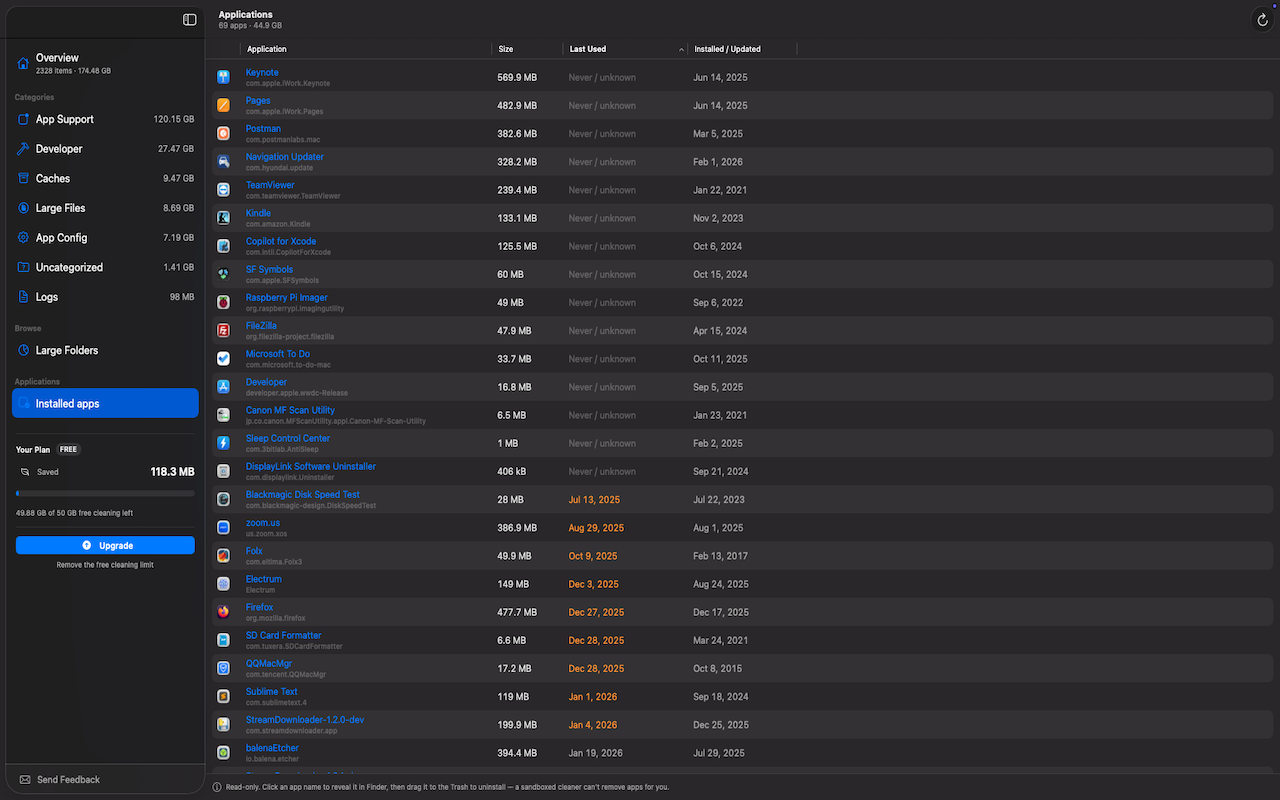
See every installed app by size and when you last used it, so you can decide what's actually worth keeping.
An optional advisor explains what each item is and whether it's safe to delete — powered by Apple's Private Cloud Compute: never stored, never accessible to Apple or us, never sent to any third-party AI. Arriving with macOS 27.
No account and no tracking. Your files never leave your Mac. Optional, anonymous usage statistics are off by default and can be turned on or off any time.
Deletions go to the Trash with a built-in undo, and hard rules protect system-critical locations — so cleaning up never puts your data at risk.
Disk Deep Cleaner scans, analyzes, and cleans entirely on your Mac. The optional AI advisor uses Apple's Private Cloud Compute — a minimal, username-stripped prompt is processed on Apple's privacy-preserving servers, never stored, never accessible to Apple or us, and never sent to any third-party AI. We never receive the names, paths, or contents of your files.
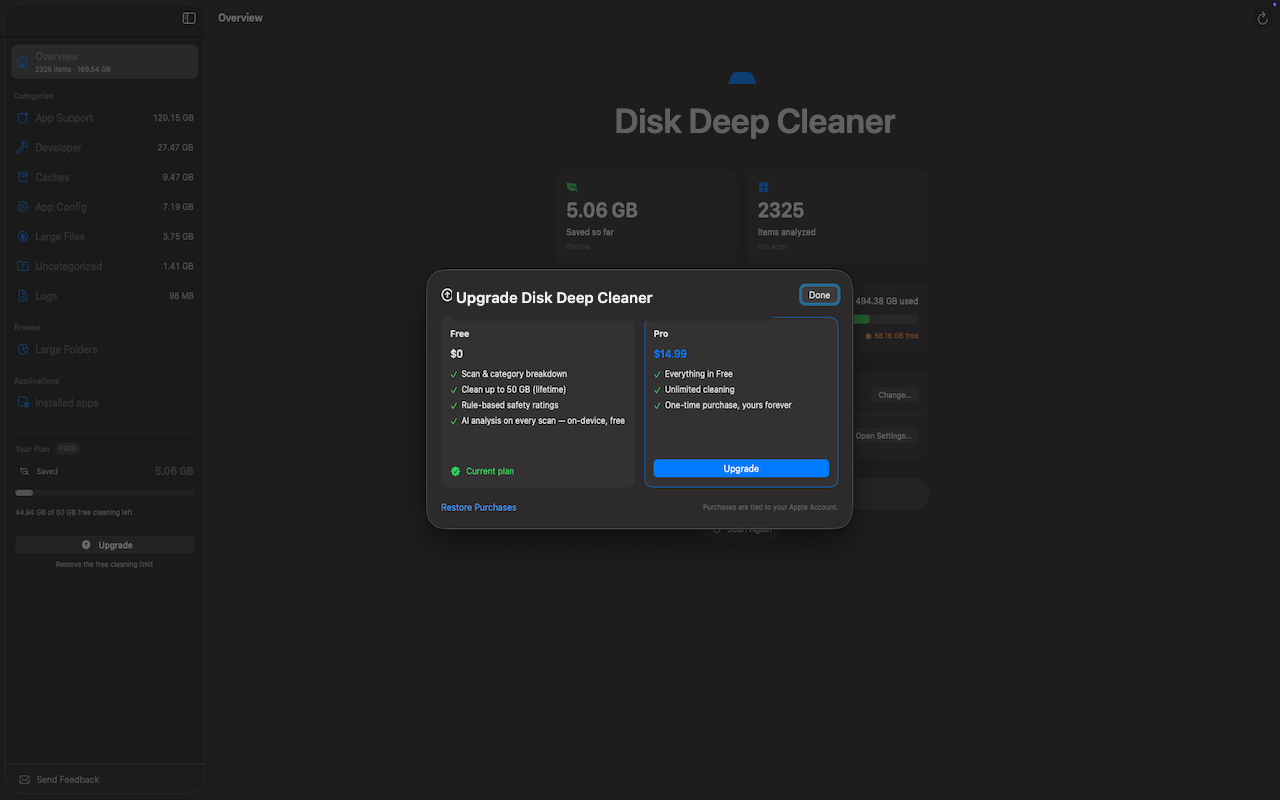
Scan, review, and clean up to a generous lifetime limit for free. Unlock unlimited cleaning with a single purchase — no subscription.
$0
$14.99 · one-time
The one-time upgrade, right inside the app — no subscription.
Download Disk Deep Cleaner and see what's really using your Mac.
Download on the Mac App Store